01
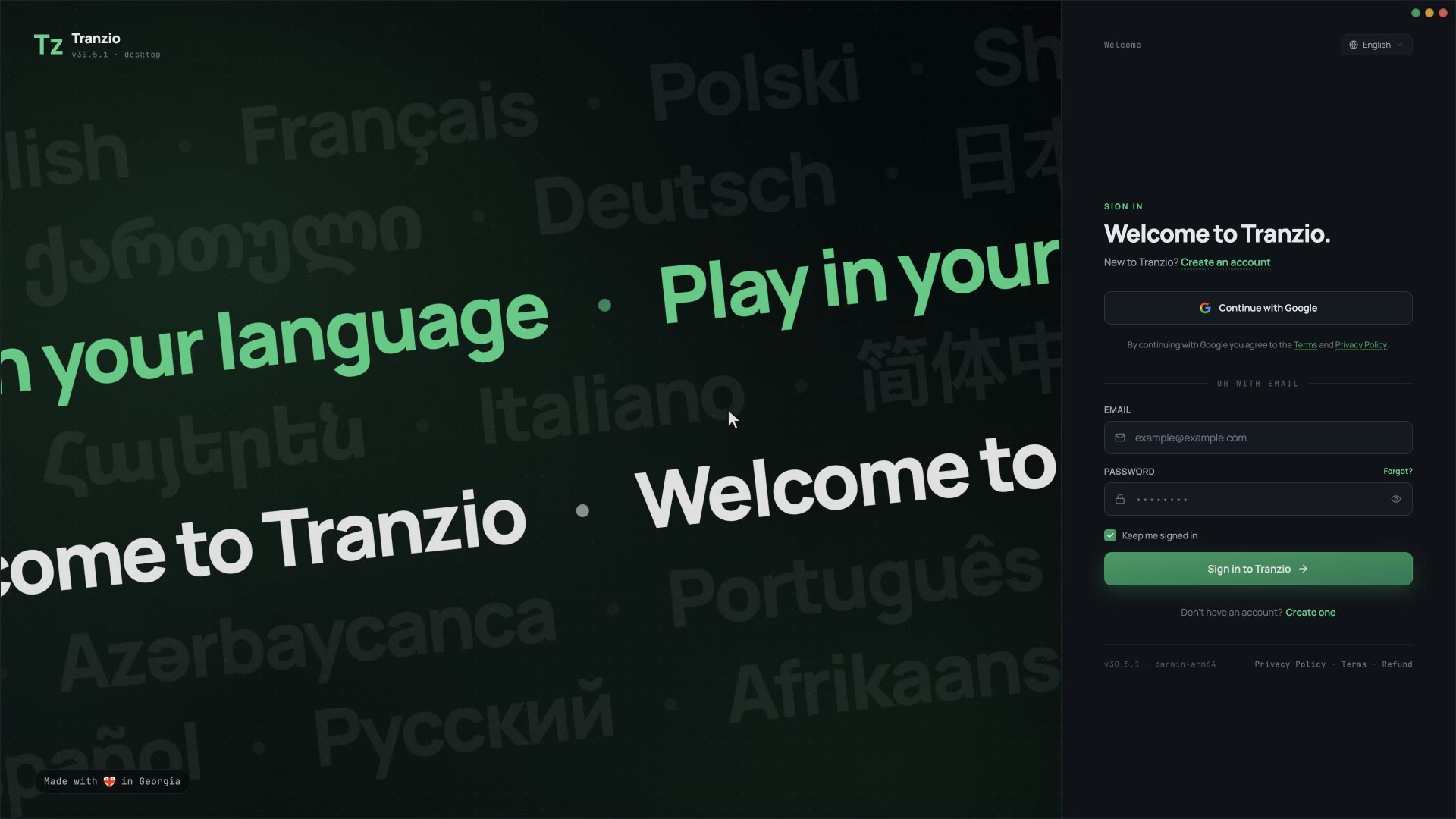
Home opens in your language
Every game with a translation into your language comes first. Nothing to set up.
Install a translation the community made, or make one for everyone else. Text, voices and fonts, for the games you own.
Free · 200 AI credits when you sign up
Studios ship in not even 1% of languages.
Players speak 7,000.
So players translate for each other. Tranzio is where they do it, and where everyone else plays the result.
They open Tranzio, find their game in their language, install it and play. This is all of it.
Every game with a translation into your language comes first. Nothing to set up.
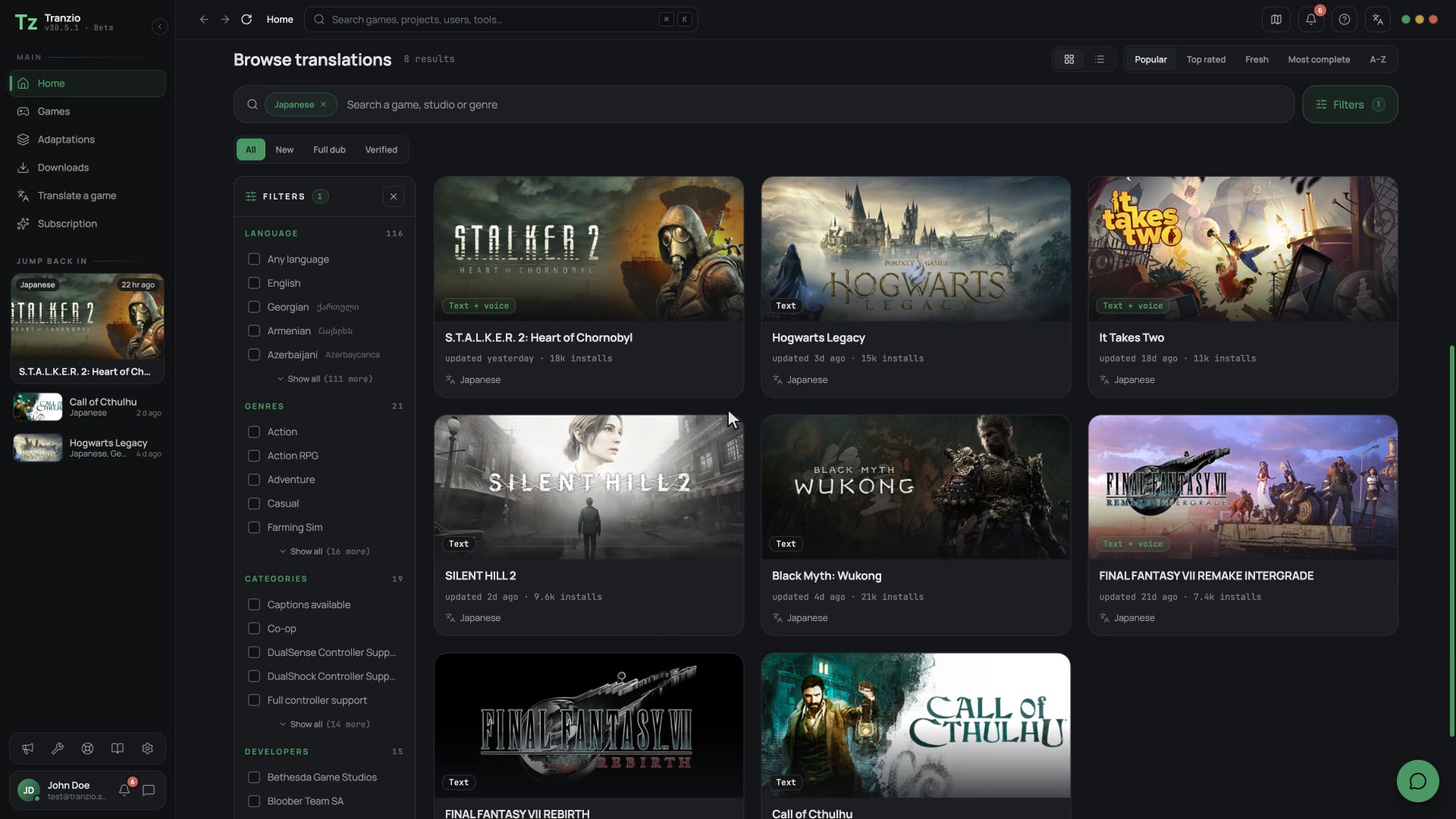
Filter by full voice, fresh releases or the most complete, and see who made each one.
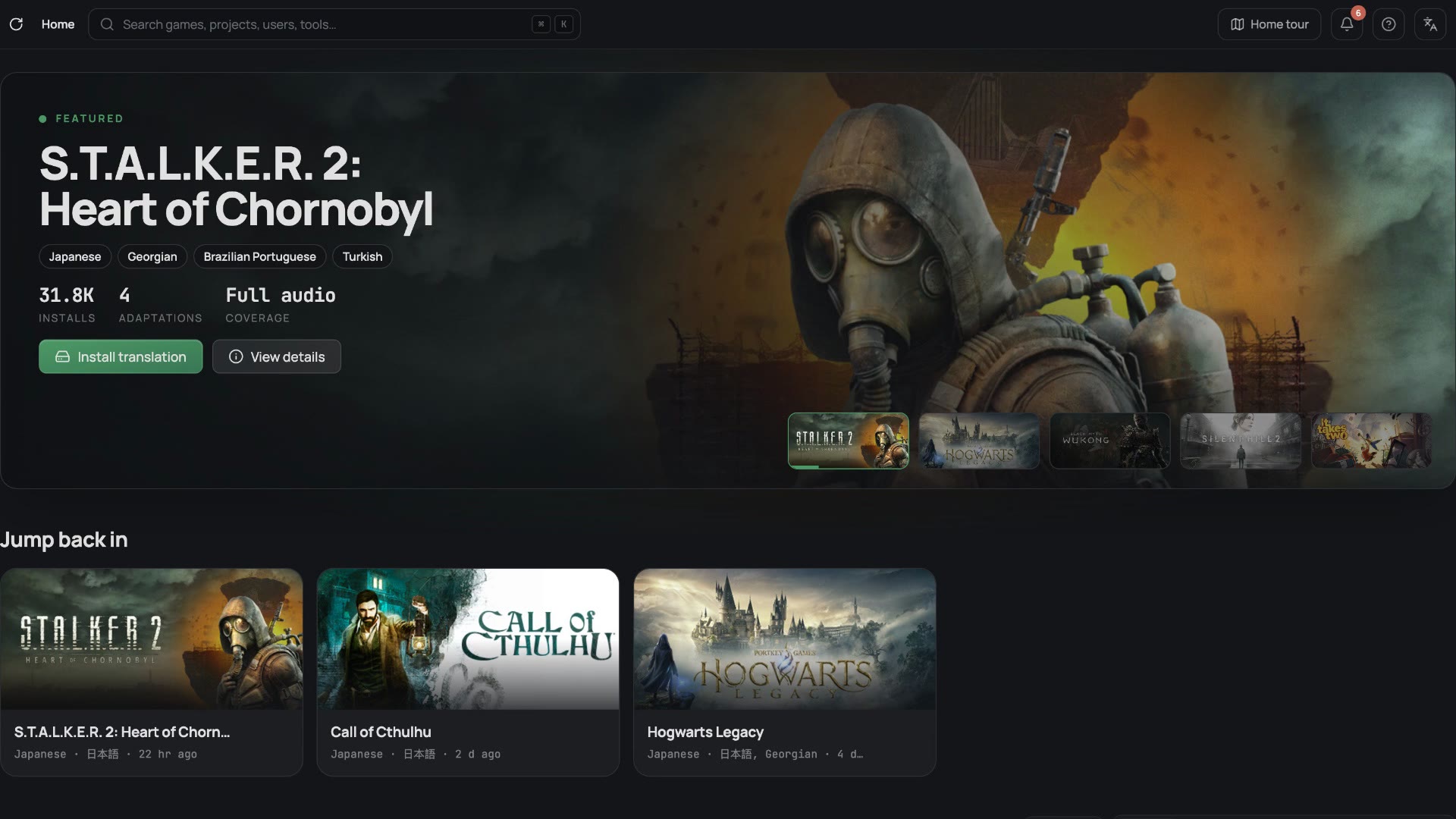
One click puts the translation on the game you own. Updates arrive the same way.
From picking the game to pressing Play: the whole thing in under two minutes, filmed from the app.
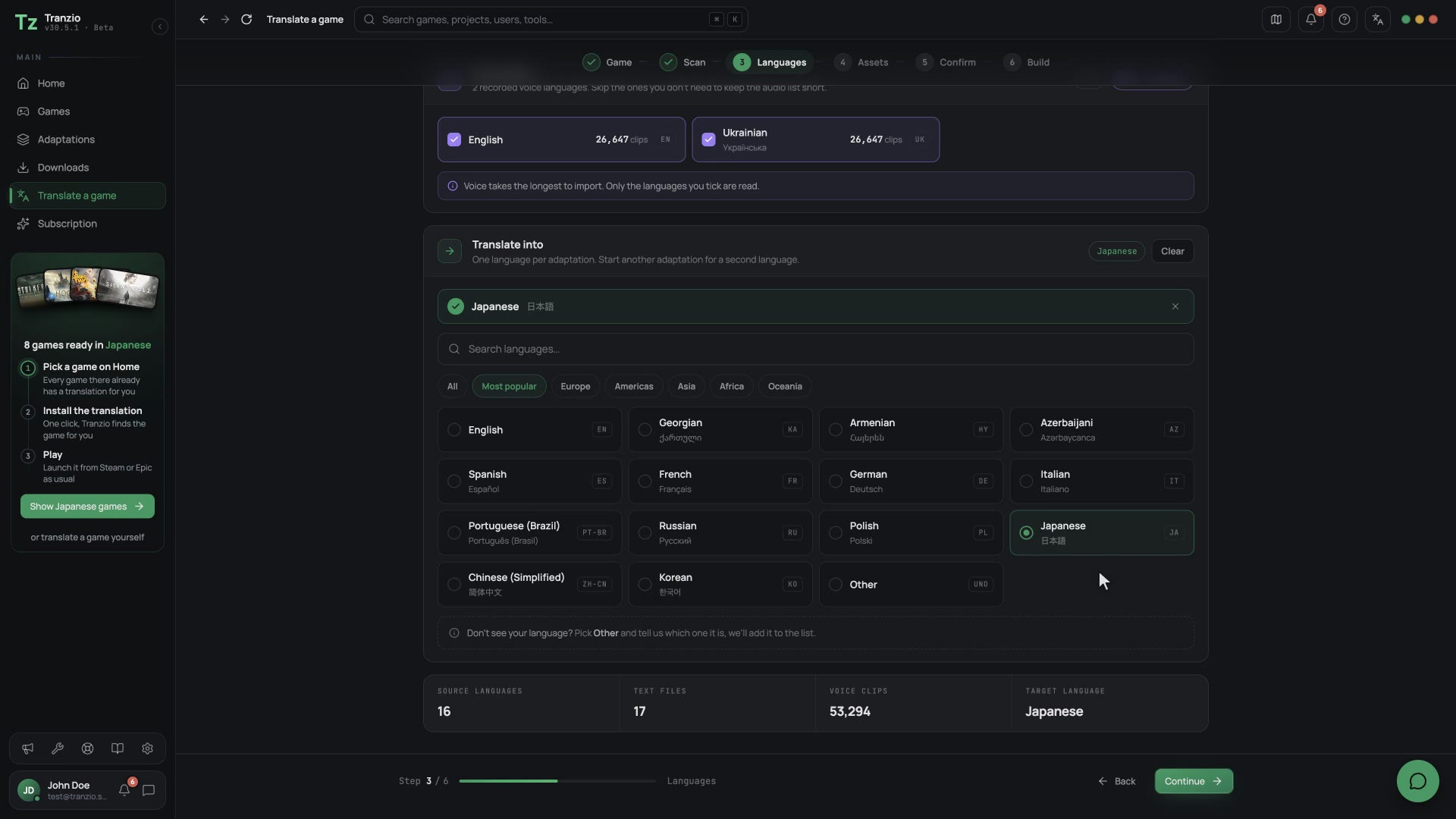
Everything a translator used to do by hand, and what Tranzio does instead.
.pak.utoc .ucas with another.locres text in a hex editor.wem by hand× breaks on every game update
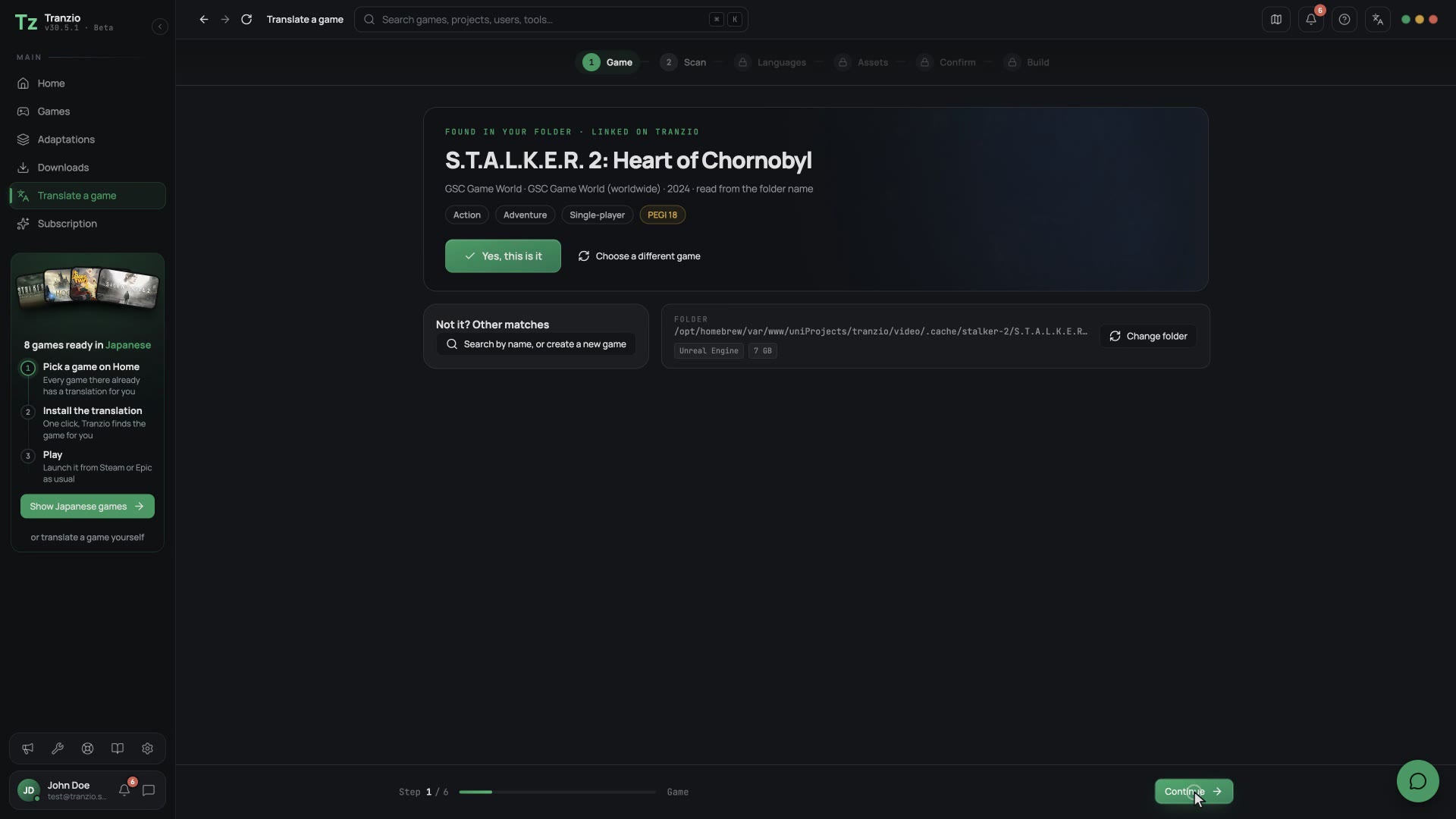
Point it at a game you own. Tranzio opens the packages, unlocks encrypted ones with their key, and lists every line of text, every voice clip and every font.
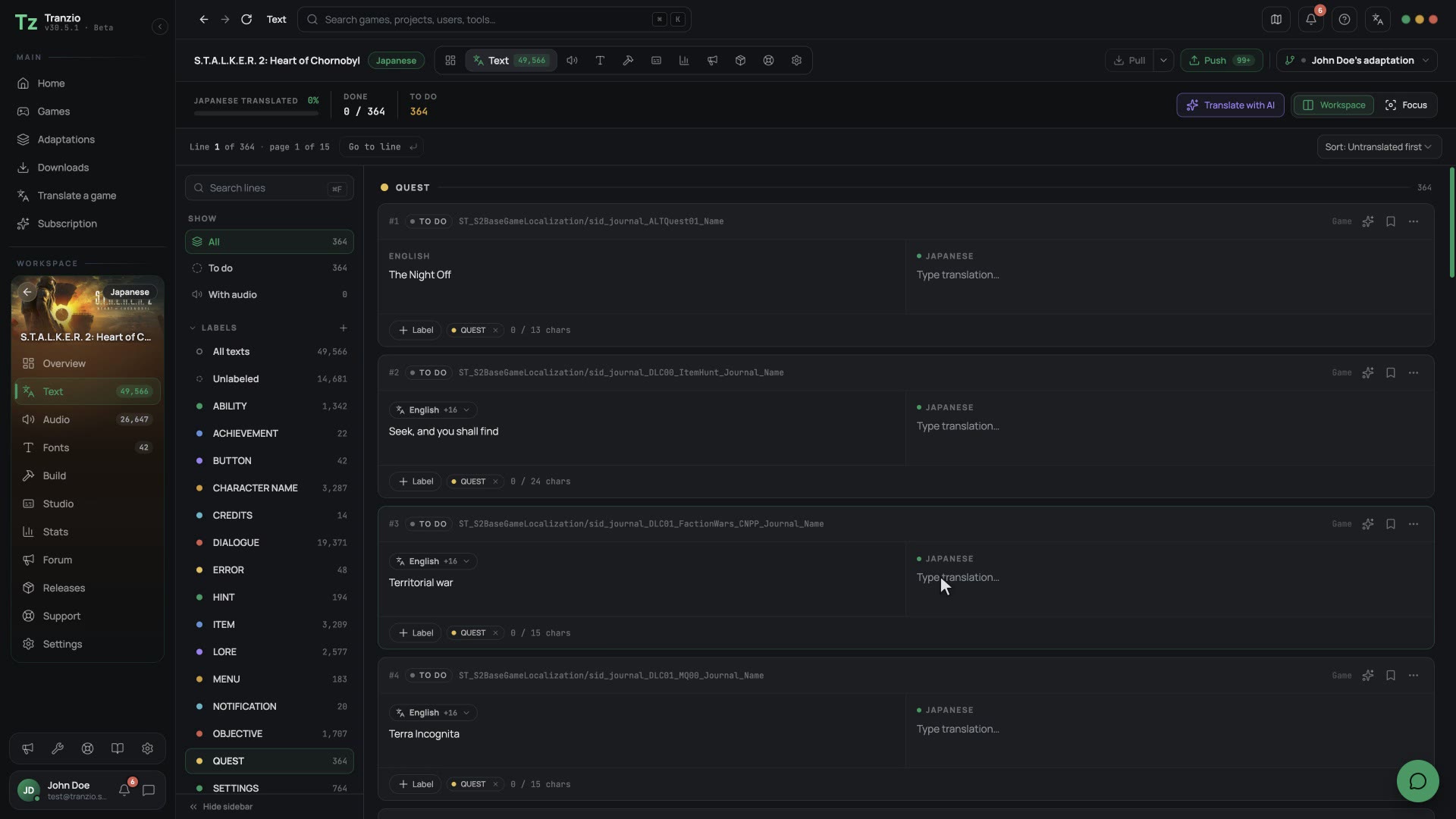
Text and voice side by side, each clip linked to the line it says. Translate by hand, with a team, or let AI draft it from your credits.
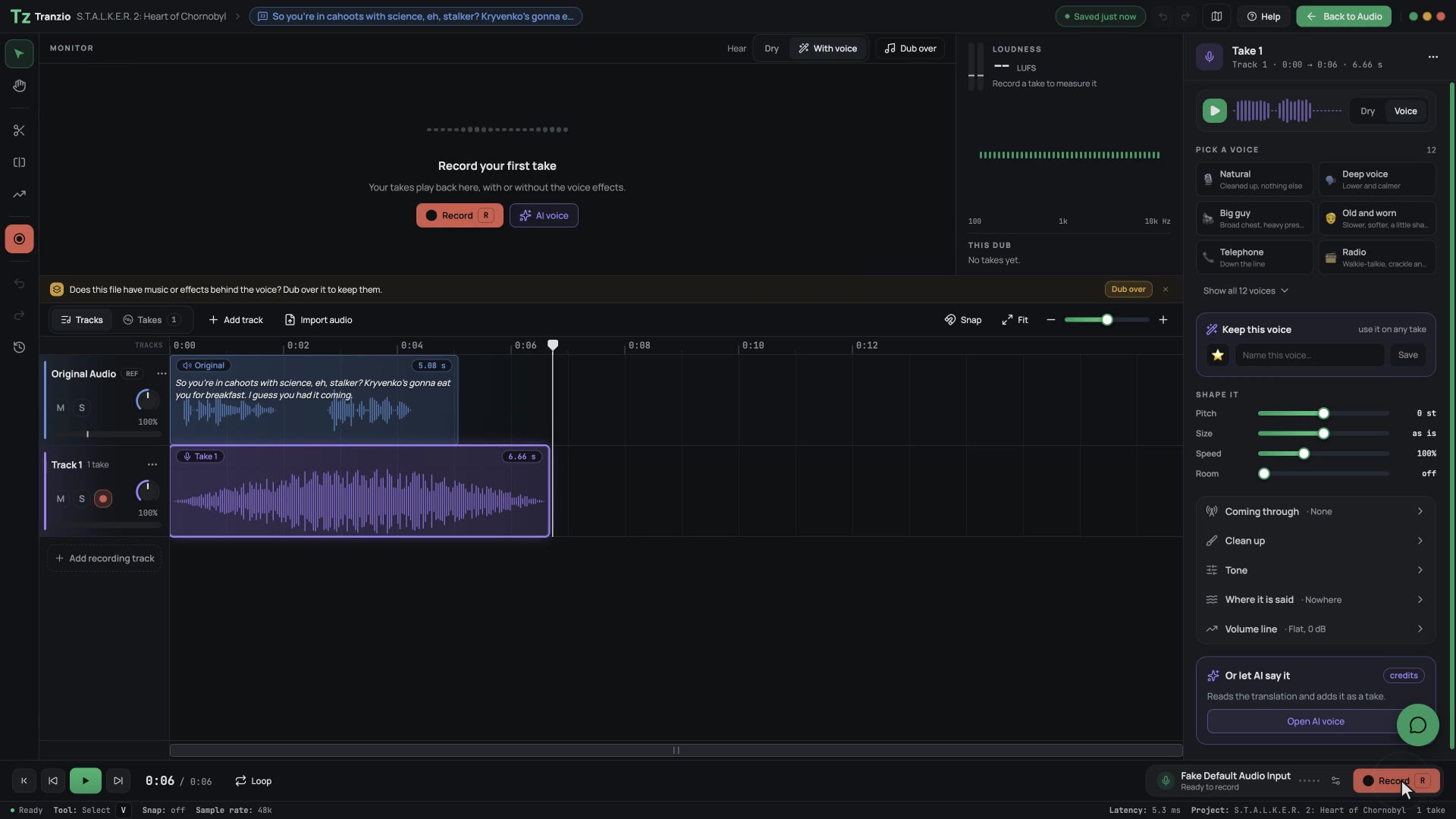
A DAW built for one line at a time: record, trim, shape the take and hear it against the original.
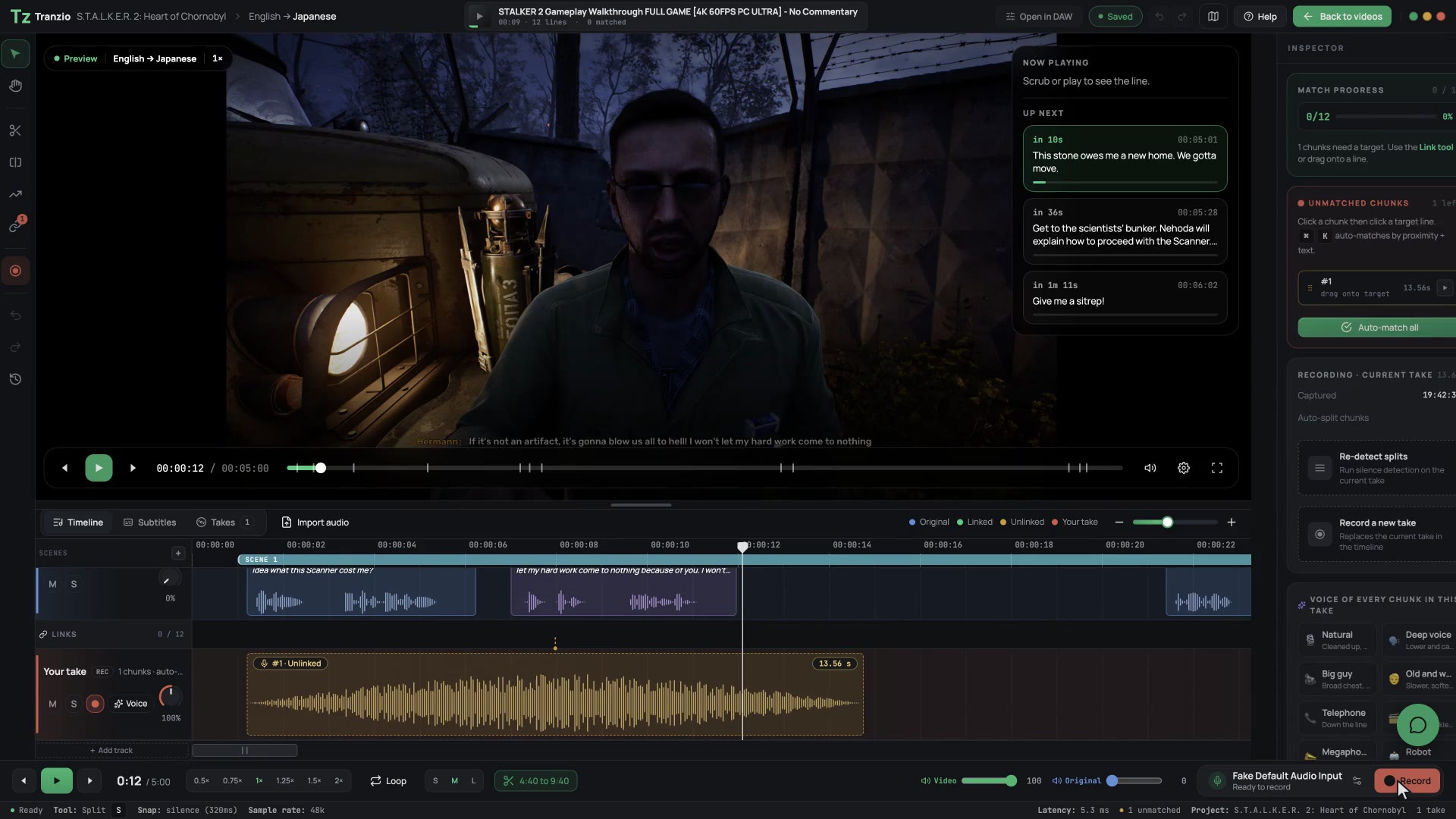
Paste a YouTube playthrough. Tranzio reads its subtitles, finds each line in the game, and you record over the picture.
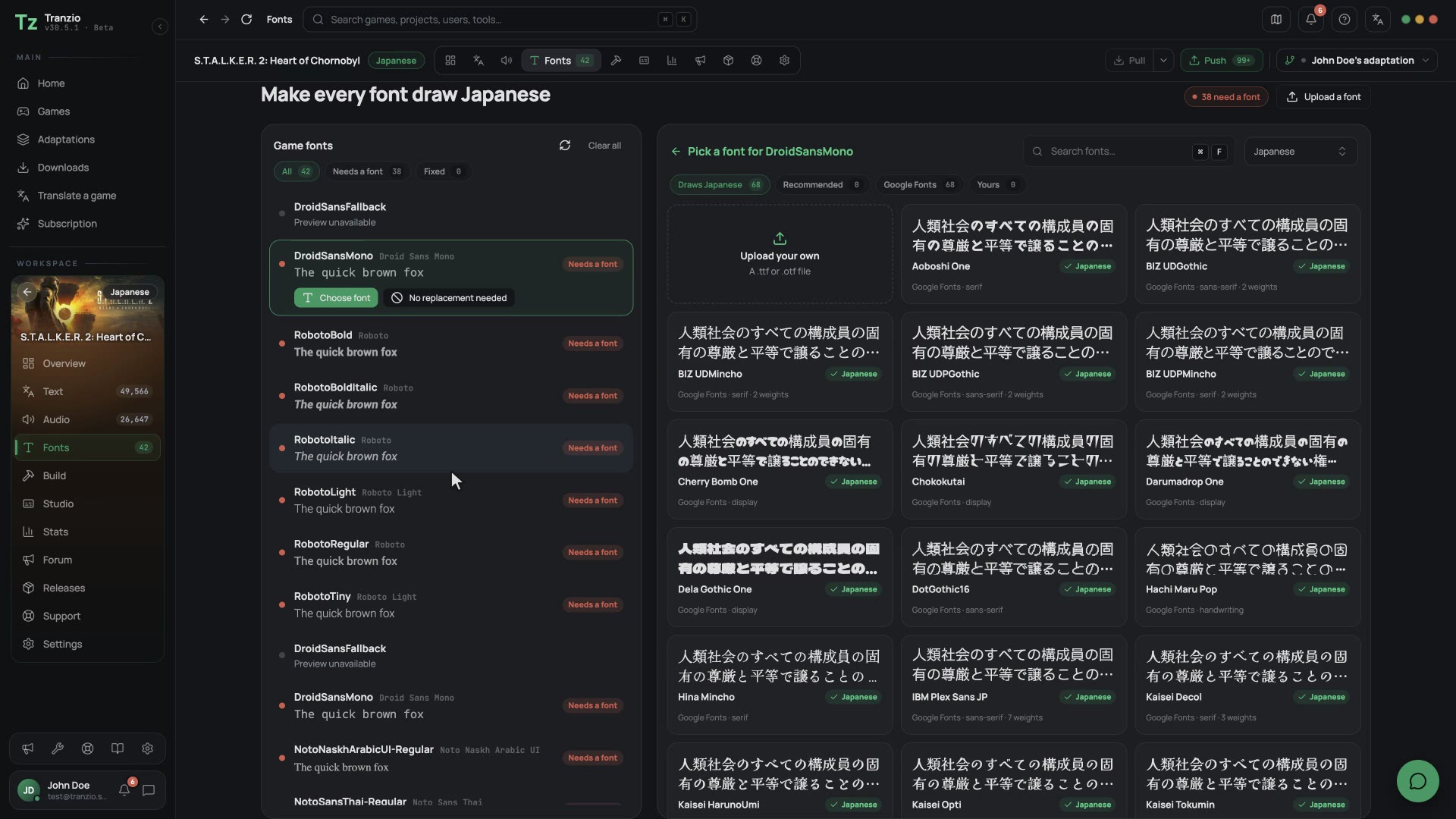
Missing letters get a font that has them. One click builds the patch and installs it, ready to play.
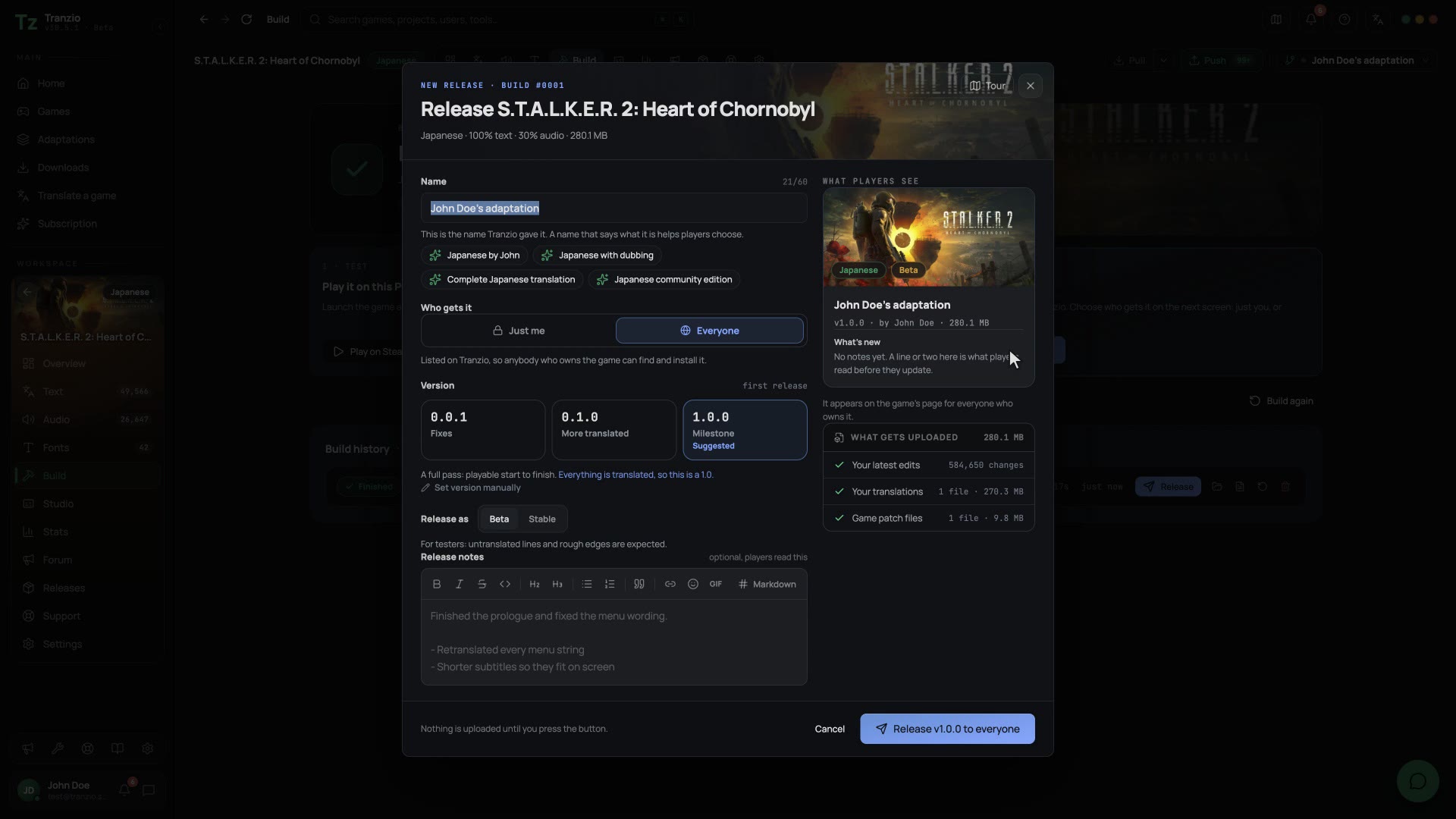
A translation is not finished when it is translated. Build it, release it, and every player who owns the game can install it.
Every public translation can be copied. Keep what works, redo what does not, and publish your version beside the original.
A game that already ships in your language can still get your version. Make it funnier, darker or closer to home, re-voice the characters, and share it with everyone who owns the game.
We have to go. Now.
Run. Unless you enjoy being on fire.
The original line, and your lineEvery account gets AI credits to try AI translation and AI voices. Plans add more every month.
No card needed
Play every community translation, and make your own.
Download freeBilled monthly, cancel any time
For players: every translation at full speed, with no ads.
Download & SubscribeBilled monthly, cancel any time
For translators who dub, and want the Studio.
Download & start 14-day trialBilled monthly, cancel any time
For teams translating and dubbing together.
Download & start 14-day trialPro and Studio include a 14-day free trial. Unless you cancel before it ends, your saved card is charged the listed price from the day the trial ends, and the plan renews on the cycle you chose until you cancel. The app reminds you a few days before the first charge.
Pay monthly, or once for 3, 6 or 12 months. Longer terms are paid up front for the whole term, at the discount shown. Cancel any time.
Add collaborator seats ($1 each on Studio, $2 elsewhere) and cloud storage ($1 for 100 GB on Studio, 50 GB elsewhere) monthly, from inside the app. A seat raises the collaborator limit on every translation you own. Letting storage lapse never deletes anything: your quota drops and new uploads pause until you are back under it.
Any plan can buy credits in the app; paid plans include a monthly amount, and a trial starts with 400. AI translation costs 1 credit for every 10 words of the original text, and an AI dub is charged on the seconds of the original audio, by voice tier, rounded up. The app quotes the run first and charges that same number. A line the model does not return is not charged. Monthly credits are that month's allowance; credits you buy stay until you spend them.
* The Free plan shows no ads today. We may introduce advertising on the Free plan in the future, subject to your consent where the law requires.
Every screen in Tranzio has a page that explains it, with the real interface and short videos instead of screenshots that went stale two releases ago. 34 topics, from installing your first translation to shipping one of your own.
How translations workPatches, restore points, adaptations, and coverage: the five-minute explanation of what Tranzio actually does to your games, and why it's safe.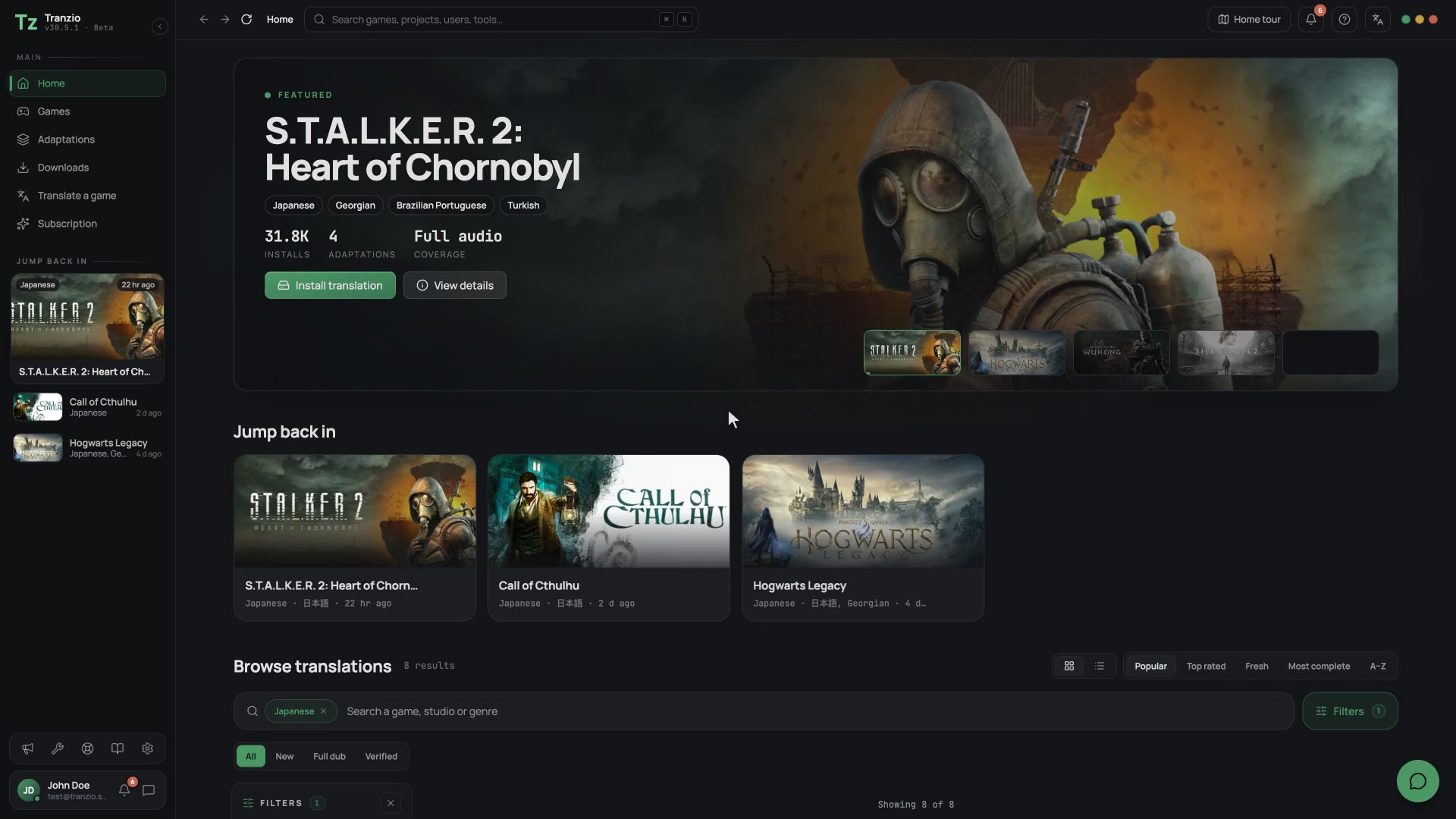 Installing a translationApplying a translation to a game you own takes a couple of minutes and is completely reversible. Here is every step, plus how to undo it.The Translate pageThis is where the actual translating happens: a side-by-side view of the game's original text and your version, with filters, translation memory, and machine assist to speed you up.Fonts & glyphsIf your language's characters show up as empty boxes in a game, the game's font simply doesn't know them. The Fonts page is how you fix that, permanently, for everyone who installs your translation.
No. Most people only install. Open Home, pick a game that has a translation into your language, install it with one click and press Play.
Unreal Engine 4 and 5 games during the beta: classic .pak files, UE5 IoStore containers, and encrypted games once you give Tranzio the key. It is built to take other engines too, including in-house ones, and more are on the way.
No. Tranzio reads the game's files, links each voice clip to its line, fixes the fonts and builds the patch. You translate and record.
Yes. Make a copy of it, change only the lines and voices you want, and publish your version beside the original.
Yes. You can start an adaptation in a language the game already ships: funnier, darker, re-voiced, your way, as a layer on top of the original.
Yes. Every public translation is free to install for anyone who owns the game. You translate once; everyone plays in your language.
No. Tranzio builds a separate patch that the game loads on top of the original. Remove it and the game is exactly as it was. A game update corrupts nothing; you just rebuild.
Yes. Translating, dubbing and building all run on your PC. You only need a connection to publish, install from the community or sync with a team.