Play Dragon Quest XI in your language.
Dragon Quest XI ships in 5 languages, and yours may not be one of them. Tranzio adds it. Install a translation other players already made in seconds, or make the first one yourself. Your game files are never touched.
Dragon Quest XI officially ships in 5 languages: English, French, Italian, German and Spanish. Full voice acting comes in English.
Windows and Linux · Works with the copy you already own on Steam or Epic
- languages it ships
- 5
- it can play in with Tranzio
- 115
- to download and install
- Free
- Engine
- Unreal Engine 4
- Released
- 2017
- Developer
- Square Enix
- Publisher
- Square Enix
- Genre
- role-playing video game
- Official languages
- 5
 Before · English only
Play Dragon Quest XI in English: install a translation made by players, or make your own.
After · With Tranzioითამაშე Dragon Quest XI ქართულად: დააყენე მოთამაშეების შექმნილი თარგმანი ან შექმენი საკუთარი.
From download to playing
- 01 · About a minuteGet TranzioFree for Windows and Linux. Point it at Dragon Quest XI in your Steam or Epic library.
- 02 · A few secondsInstall your languagePick a translation other players released and press Install. Nothing to copy, no files to edit.
- 03 · Right awayPlayLaunch the game as you always do. Want the original back? One click.
Why Dragon Quest XI players use Tranzio
Most games ship in a dozen languages, and millions of players speak something else. Tranzio closes that gap one game at a time, with translations and dubs made by the players themselves. Your game files are never changed.
- Hear it in your languageDub Dragon Quest XI's characters with AI voices or record them yourself, line by line.
- Watch it live in StudioPlay a scene and see and hear each translated line as it happens, before you build.
- Every word on screenMenus, quests, item names and subtitles, translated by hand or drafted by AI.
- Your letters, drawn rightFonts that show your alphabet instead of empty boxes.
Dub Dragon Quest XI in your language
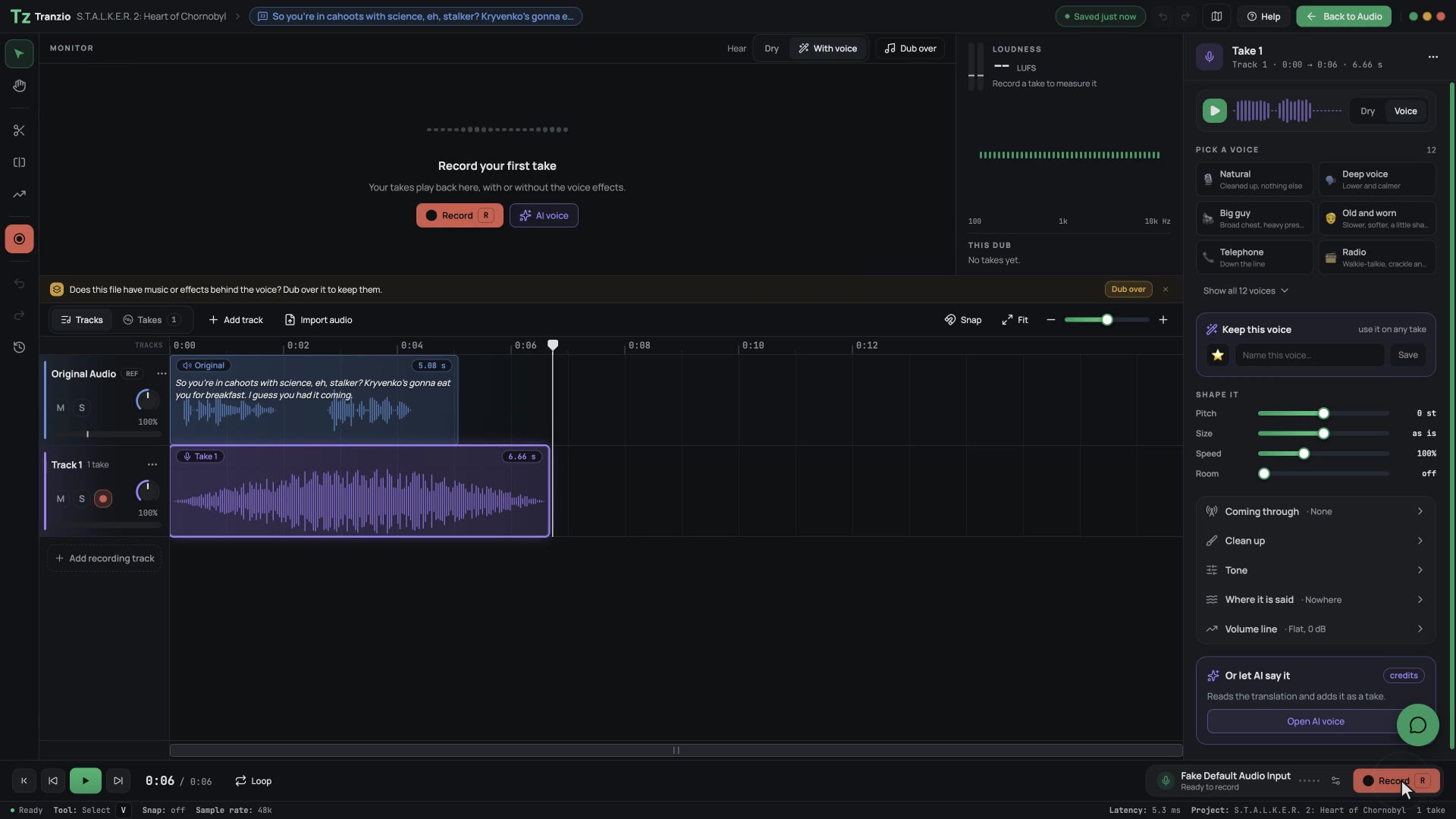
Dragon Quest XI is fully voiced in English. Tranzio lists every voice line beside its text, so you can give the characters your language's voice: record the lines yourself, or generate AI voices, and play the game with them.
Give the characters your language's voice
Record a line yourself or let an AI voice speak it, shape the take and hear it against the original. The dub plays in the game like it shipped there.
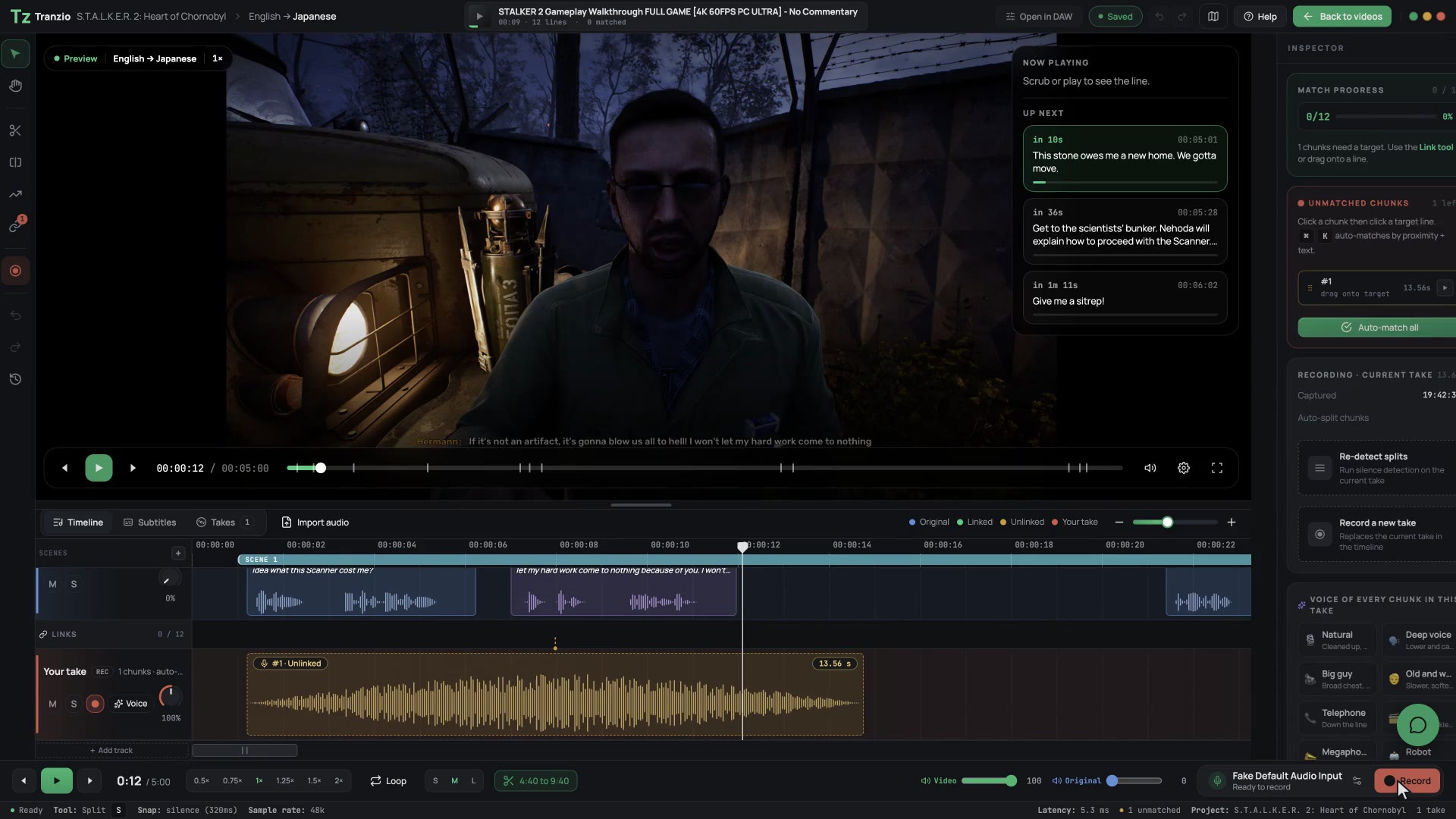
Watch what you are translating, live
Paste a YouTube playthrough. Tranzio finds each line it hears in the game, so you translate and dub right over the scene.
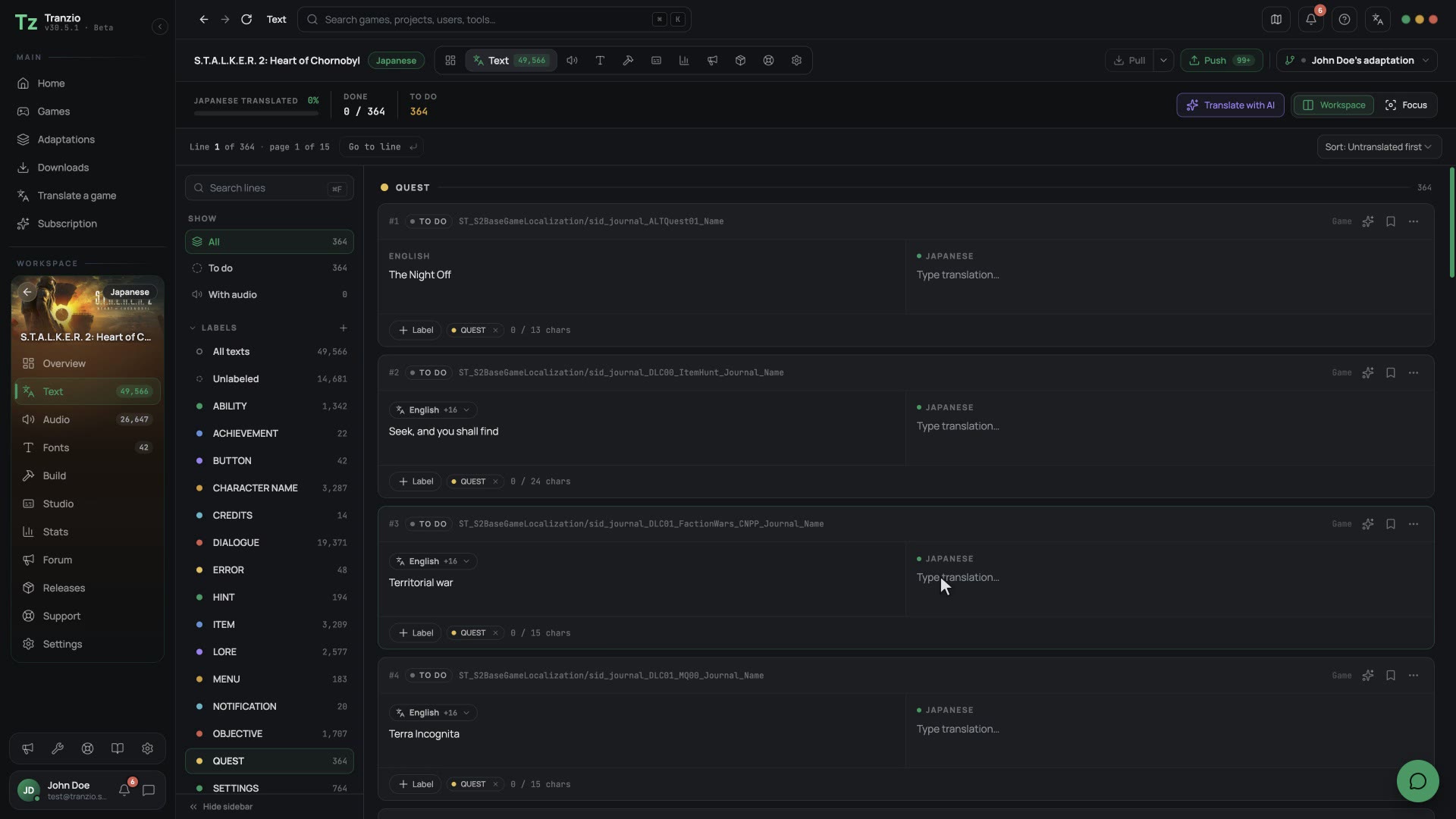
Every line, in one list
Text and voice side by side, each clip linked to the line it says. Translate by hand, with a team, or let AI draft it.
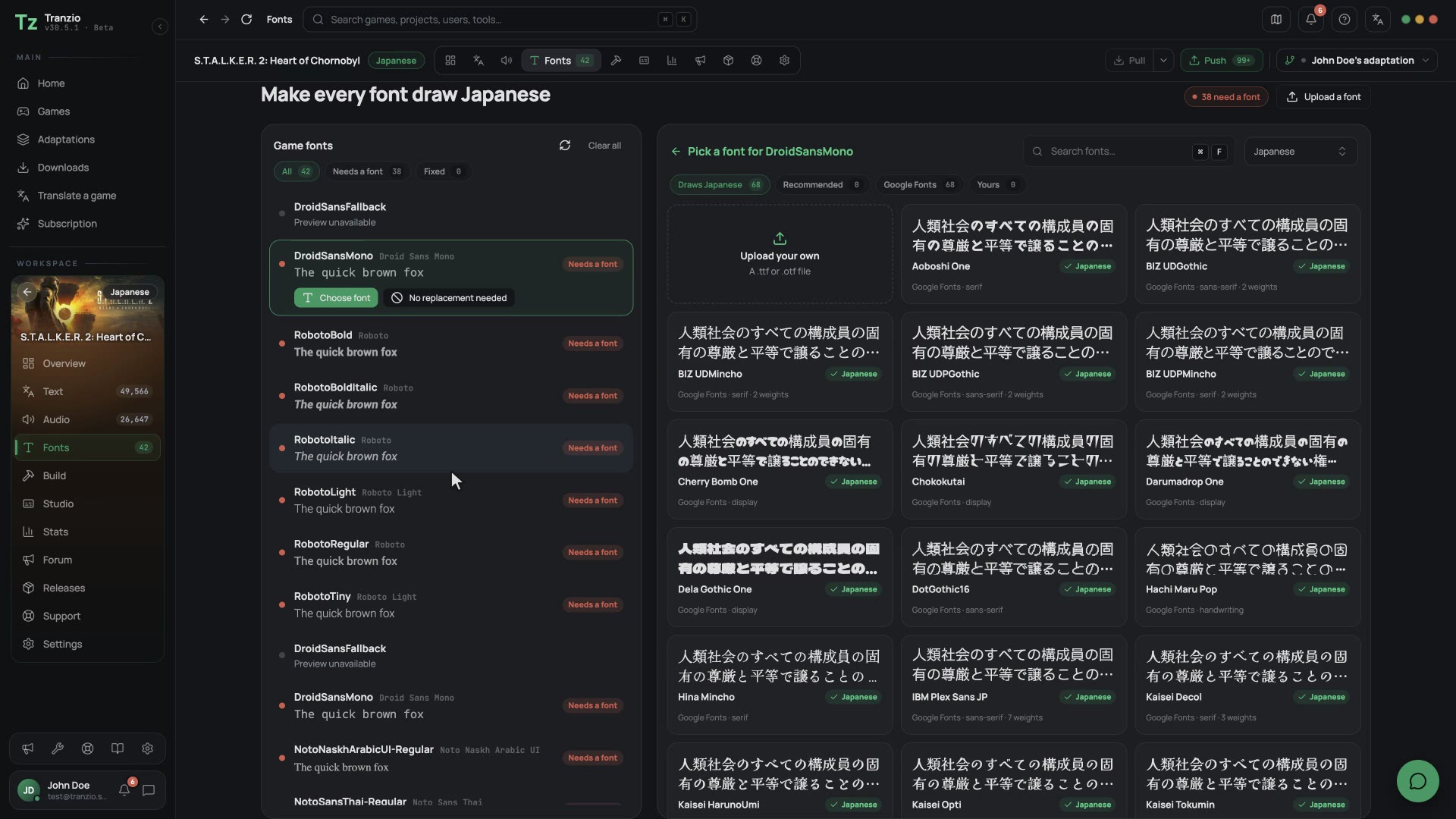
Your alphabet, then play
Missing letters get a font that has them. One click builds the patch and installs it, ready to play.
Pick your language for Dragon Quest XI
Each language has its own page: whether the game already speaks it, and how players add it.
- EnglishEnglish
- Georgianქართული
- ArmenianՀայերեն
- AzerbaijaniAzərbaycanca
- SpanishEspañol
- FrenchFrançais
- GermanDeutsch
- ItalianItaliano
- Portuguese (Brazil)Português (Brasil)
- RussianРусский
- PolishPolski
- Japanese日本語
- Chinese (Simplified)简体中文
- Korean한국어
- AfrikaansAfrikaans
- AlbanianShqip
- Amharicአማርኛ
- Arabicالعربية
- Assameseঅসমীয়া
- AymaraAymar aru
- BasqueEuskara
- BelarusianБеларуская
- Bengaliবাংলা
- BosnianBosanski
- BulgarianБългарски
- Burmeseမြန်မာ
- CatalanCatalà
- ChichewaChichewa
- Chinese中文
- Chinese (Traditional)繁體中文
- CroatianHrvatski
- CzechČeština
- DanishDansk
- DutchNederlands
- EstonianEesti
- FaroeseFøroyskt
- FijianNa Vosa Vakaviti
- FilipinoFilipino
- FinnishSuomi
- French (Canada)Français (Canada)
- GalicianGalego
- GreekΕλληνικά
- GuaraniAvañe'ẽ
- Gujaratiગુજરાતી
- Haitian CreoleKreyòl Ayisyen
- HausaHausa
- HawaiianʻŌlelo Hawaiʻi
- Hebrewעברית
- Hindiहिन्दी
- HungarianMagyar
- IcelandicÍslenska
- IgboIgbo
- IndonesianBahasa Indonesia
- IrishGaeilge
- Kannadaಕನ್ನಡ
- KazakhҚазақша
- Khmerខ្មែរ
- KinyarwandaIkinyarwanda
- KurdishKurdî
- KyrgyzКыргызча
- Laoລາວ
- LatvianLatviešu
- LithuanianLietuvių
- LuxembourgishLëtzebuergesch
- MacedonianМакедонски
- MalagasyMalagasy
- MalayBahasa Melayu
- Malayalamമലയാളം
- MalteseMalti
- MāoriMāori
- Marathiमराठी
- MongolianМонгол
- Nepaliनेपाली
- NorwegianNorsk
- Odiaଓଡ଼ିଆ
- Pashtoپښتو
- Persianفارسی
- PortuguesePortuguês
- Punjabiਪੰਜਾਬੀ
- QuechuaRuna Simi
- RomanianRomână
- SamoanGagana Samoa
- Scottish GaelicGàidhlig
- SerbianСрпски
- ShonachiShona
- Sindhiسنڌي
- Sinhalaසිංහල
- SlovakSlovenčina
- SlovenianSlovenščina
- SomaliSoomaali
- SothoSesotho
- Spanish (Latin America)Español (Latinoamérica)
- Spanish (Mexico)Español (México)
- SwahiliKiswahili
- SwedishSvenska
- TajikТоҷикӣ
- Tamilதமிழ்
- Teluguతెలుగు
- Thaiไทย
- Tibetanབོད་སྐད་
- Tigrinyaትግርኛ
- TonganLea faka-Tonga
- TswanaSetswana
- TurkishTürkçe
- TurkmenTürkmençe
- UkrainianУкраїнська
- Urduاردو
- Uyghurئۇيغۇرچە
- UzbekOʻzbekcha
- VietnameseTiếng Việt
- WelshCymraeg
- WolofWolof
- XhosaisiXhosa
- YorubaYorùbá
- ZuluisiZulu
Questions
Can I play Dragon Quest XI in my language?
Yes. If someone has already translated it, install their translation from inside Tranzio and play. If nobody has, translate it yourself; Tranzio reads Dragon Quest XI's Unreal Engine 4 files, so there is nothing to unpack by hand.
Is translating Dragon Quest XI free?
Yes. Tranzio is free to download, and installing a translation costs nothing. Paid plans add AI credits and team features for people who make translations.
Does it change my game files?
No. Tranzio installs a translation as a separate patch beside the game, so the original files stay as they were and you can switch back at any time.
Can I dub Dragon Quest XI's voices too?
Yes. Tranzio lists every voice line next to its text, so you can record your own takes, or generate them, and play the game with them.
Which languages can I translate into?
Any of the 115 languages Tranzio knows, from Georgian and Armenian to Swahili and Thai. Fonts that cannot draw your alphabet can be replaced too.
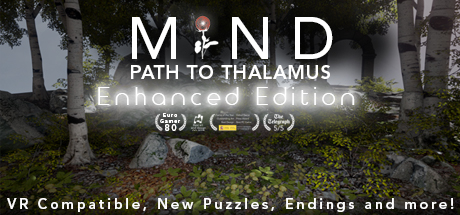
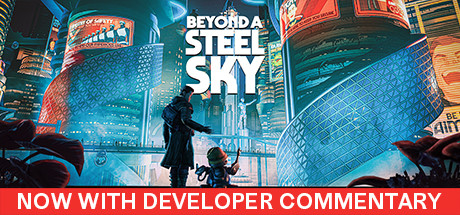
More Unreal Engine 4 games




Be ready the day it speaks your language.
Download Tranzio now, even if nobody has translated Dragon Quest XI yet. When a translation lands it is one click away, and if none has, you can make it.
Free · Windows and Linux